
In our last post we covered the demand letters that cite a 1967 California wiretapping law against ordinary websites, and how to check whether your own site sends tracking requests before the visitor has agreed to anything. The short version: many sites load Google Analytics, a Meta pixel, or a chat widget the moment the page opens, and that pre-consent window is what the letters describe.
This post covers the fix, written for people who build their sites with a coding agent like Claude Code or Cursor. ConsentLayer has an MCP server, which means the agent that built your site can also set up consent management on it. The flow is short enough to show in full, so that is what I will do, including the part where I ran it against my own site to see what it would find.
Why the consent step gets skipped
My theory about why so many AI-built sites ship with analytics wired up and no working consent gate is that the effort is lopsided. Adding a tracker takes one sentence to your agent. Setting up consent management, the usual way, takes an account on a separate platform, an onboarding wizard, and a series of questions about which scripts your site loads and which consent category each one belongs in. That last part assumes you can list every pixel and widget you or your agent ever added, and most people cannot. After the wizard there is a snippet to copy back into the code, and if you have visitors in Europe or California, a further set of options for regional behavior.
None of this is difficult. It is administrative work that arrives while you are trying to ship, and it happens in a browser tab instead of in your project, so it tends to get postponed.
Most of what that wizard asks for, though, is information the agent already has, because it wrote a good part of the code involved. Our MCP server exists so the agent can answer those questions itself.
Connecting the server
ConsentLayer exposes its API over the Model Context Protocol, the standard coding agents use to connect to outside tools. If you use Claude Code, one command in your project directory sets up the connection:
npx -y @consentlayer/mcp setupFor Cursor or any other MCP-capable editor, add the endpoint directly:
claude mcp add consentlayer --transport http "https://api.consentlayer.com/mcp"You also need a ConsentLayer account, because the agent works against your account’s API key. The free plan includes the API, the SDK, and the MCP server, and it covers everything described in this post. Registration is at https://app.consentlayer.com/register.
The request
With the server connected, the instruction can be as plain as this:
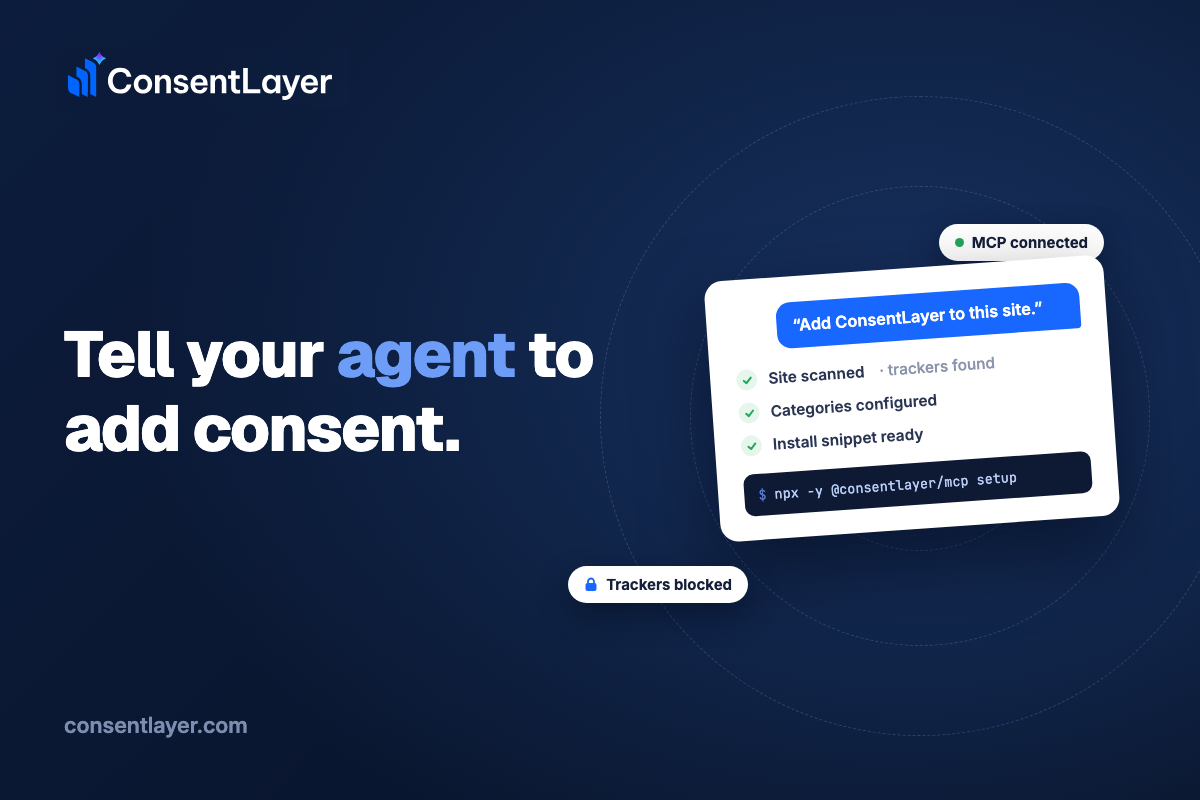
“Add ConsentLayer to this site.”
The agent then works through the setup. It registers the site in your account. It starts a scan, which crawls your pages and records which scripts load, separating services it recognizes from ones it does not. It assigns the recognized services to consent categories, configures the banner, and returns the snippet that goes in your page’s head. The snippet arrives as an ordinary code change, so you review it the way you review anything else the agent writes, and then you commit it.
Here’s a quick preview of how this goes:
What the scan found on my own site
To have a concrete example for this post, I ran the scan against my personal site, a WordPress blog I have kept for years. It came back in under a minute with one recognized service and five scripts it could not identify.
The recognized service was Google Analytics. The scanner matched it, assigned it to the statistics category, and attached the list of cookies that service is known to set, with names, durations, and descriptions filled in from the service library.
The five unknown scripts were all embeds from gist.github.com, which is how I used to include code snippets in blog posts. The scanner has no way to know whether an unfamiliar script is a harmless code embed or a pixel from an ad network it has not seen before, so it does not guess. The five gists went into a review queue for me to classify.
I have run that site for a long time, and I could not have listed those five embeds from memory. That is the question the setup wizards expect you to answer by hand, and it is the part the scan replaces.
What the agent is actually doing
“The AI sets it up” can mean very different things, so it is worth describing what happens underneath. The ConsentLayer MCP server gives the agent more than twenty tools, each mapped to one operation in the platform: create a site, run a scan, read the results, list unrecognized scripts, assign services to categories, import a service from the library, adjust the banner, apply a geolocation template for GDPR, CCPA and CPRA, or LGPD, configure Do Not Sell handling, verify that the loader is live on the page, read back consent records, and return the install snippet. When the agent says it configured the banner, it means it called the operation that configures the banner, the same one the dashboard uses.
The distinction matters because a chat assistant embedded in a settings page can only describe steps for you to perform. An agent with API access performs them, in your editor, against your account.
Follow-up changes
The connection stays useful after setup, because configuration changes are also tool calls. “Switch the banner to a modal and move it to the bottom left,” “add a category for the live chat widget,” and “apply the GDPR template for visitors in Europe” each map to one or two API operations. The agent makes the change, and you can read the resulting configuration back if you want to check its work.
What ends up on the site
As for what actually runs on your pages: the install snippet loads a small script ahead of your trackers and holds them until the visitor makes a choice. Blocking rules for common services, including Google, Meta, and TikTok, ship built in, and custom rules cover anything site-specific. The script also implements Google Consent Mode v2, so tags that support it receive the visitor’s consent state.
Geolocation templates control regional behavior. The GDPR, CCPA and CPRA, and LGPD templates set defaults for each framework, and the CCPA and CPRA template can honor the Global Privacy Control signal a browser sends, with each honored signal written to the consent record. Do Not Sell requests are tracked as well.
Every consent decision is logged with the categories the visitor allowed, the jurisdiction, the banner version they saw, and a timestamp. IP addresses are stored as salted hashes rather than raw values, and the log exports to CSV.
The scanner keeps working after setup. Each new scan is compared with the previous one, so a tracker introduced by some future plugin or dependency shows up as a flagged change rather than loading unnoticed. On the free plan you trigger scans yourself; on paid plans they run on a schedule.
What stays under your control
The parts that involve judgment stay with you. The snippet lands in your codebase as a diff you approve. Unrecognized scripts, like my five gists, wait in the review queue until you classify them, because whether a given script counts as essential, statistics, or marketing on your site is not a call the scanner should make on its own. The configuration lives in your ConsentLayer account, hosted in the EU in Frankfurt, and everything the agent can change is also visible and editable in the dashboard.
What this does not do
The same caution from the last post applies here. Running one command and approving a diff configures the technical behavior of your site: which scripts wait for consent, what a rejection actually stops, and what records exist afterward. It does not make you “compliant” with any particular law, and it does not prevent anyone from sending you a demand letter. Those are legal questions, they depend on facts specific to your situation, and a tool cannot settle them. ConsentLayer is a tool, not a law firm, and this is not legal advice. If a letter has already arrived, talk to a privacy lawyer before deciding anything.
Trying it on your own site
If you want to see the flow yourself, the pieces are a free account at https://app.consentlayer.com/register, the setup command above, and an instruction to your agent in whatever words you would use with a colleague. The scan takes about a minute, and the results are usually informative even if you change nothing else, if only to learn what your own equivalent of my five forgotten gists turns out to be. For the background on why pre-consent tracking is worth fixing in the first place, our last post covers the demand-letter wave and how to inspect your site by hand.
This article is general information, not legal advice. If you have received a demand letter or been named in a lawsuit, talk to a lawyer licensed in your jurisdiction.